Parameters are settings that Kandji can manage that are not contained in the MDM specifications. Some Parameters are as simple as "Don't allow the Guest user to log in." More complex Parameters may require specific variables to be defined, such as applications that need to be blocked.
Configuring Parameters in Assignment Maps
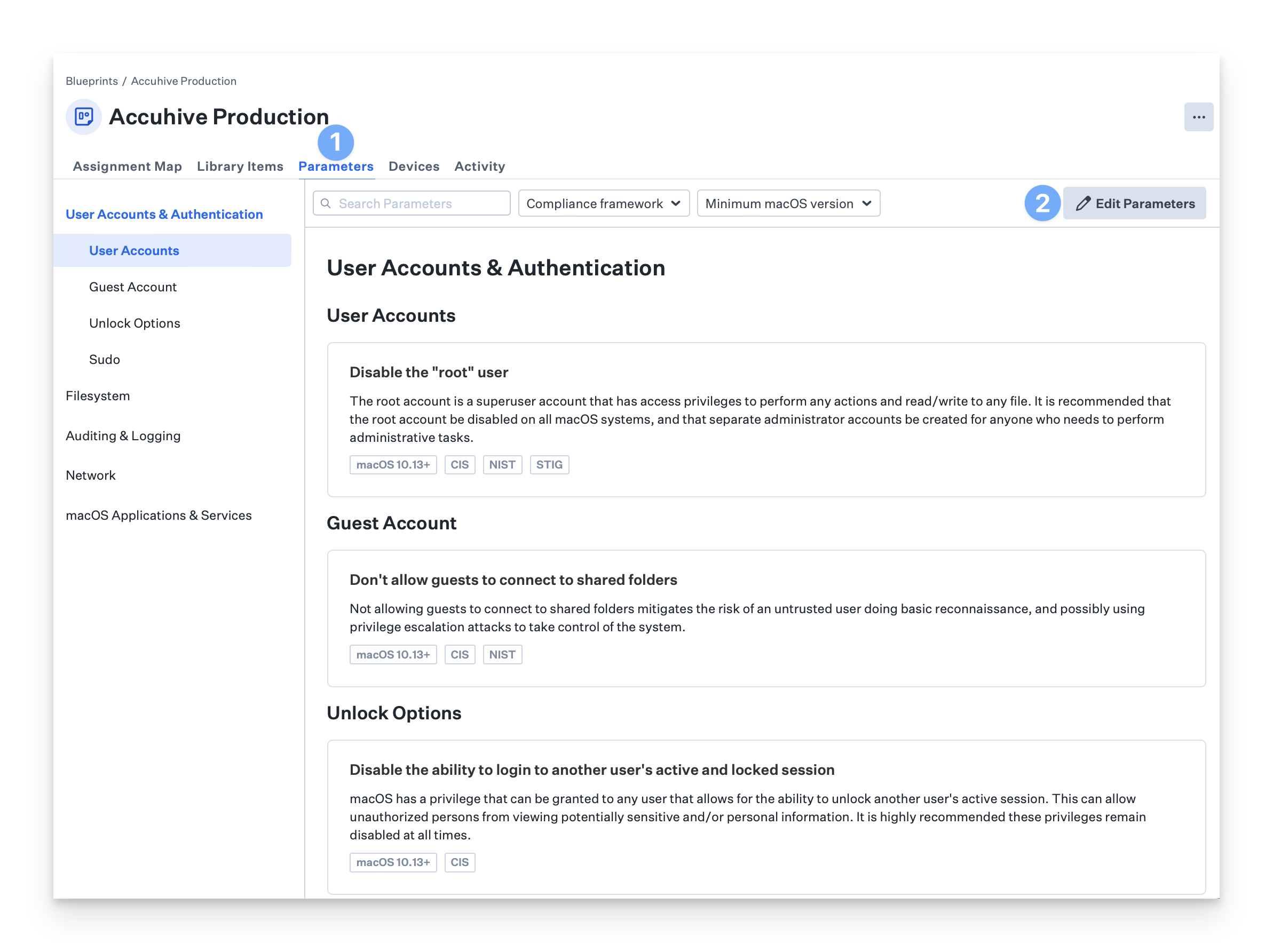
To configure Parameters, click on Parameters at the top of the map.
Click Edit Parameters.
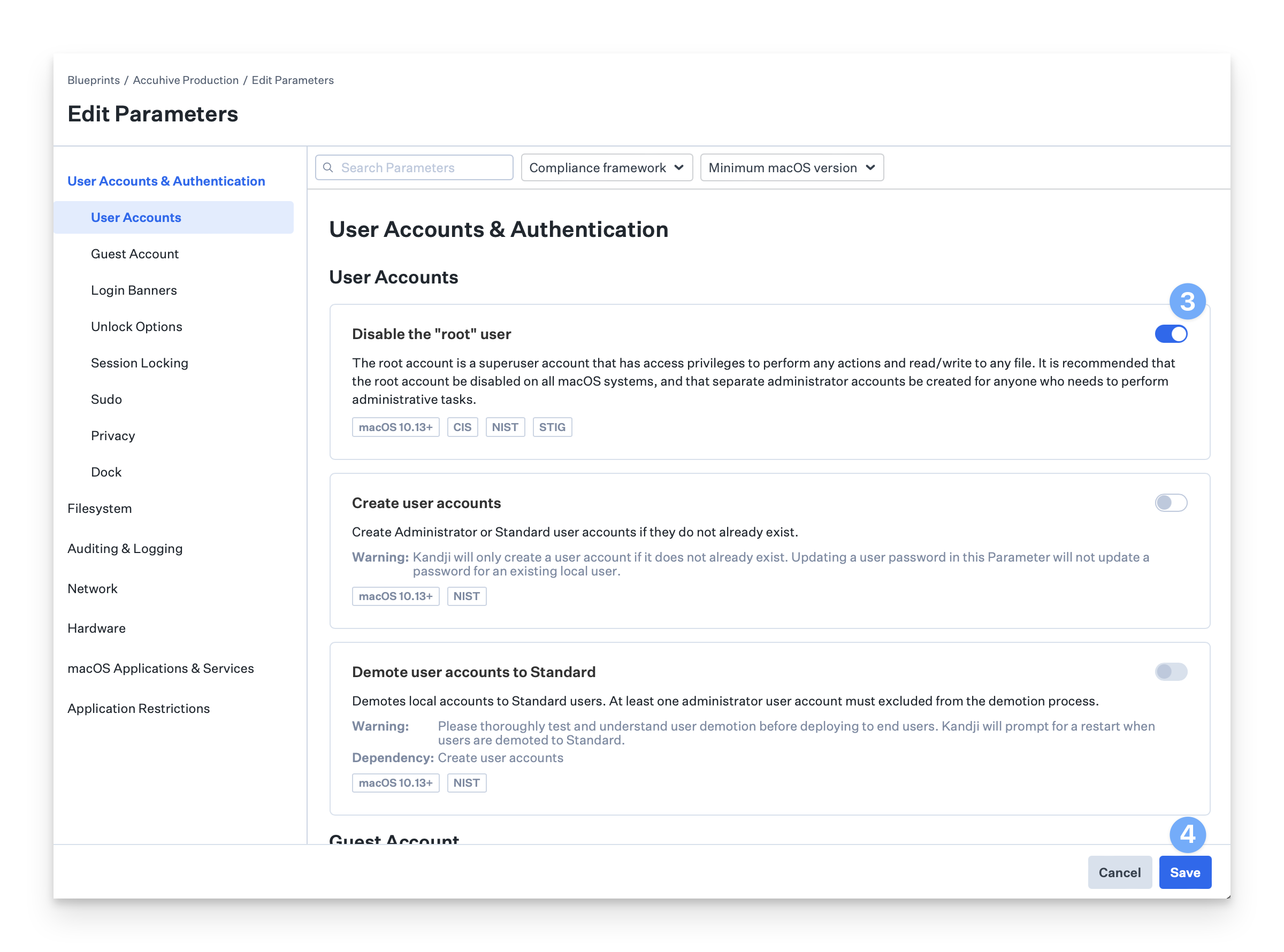
Toggle the switches for the Parameters you would like to enable.
When finished, click Save
If you'd like more information on Parameters, see the Parameters section of our Knowledge Base.