---
title: "AppConfig"
slug: "appconfig"
updated: 2025-02-24T22:12:44Z
published: 2025-02-26T14:05:56Z
canonical: "support.kandji.io/appconfig"
---
> ## Documentation Index
> Fetch the complete documentation index at: https://support.kandji.io/kb/llms.txt
> Use this file to discover all available pages before exploring further.
# AppConfig
### What is AppConfig?
[AppConfig](https://www.appconfig.org/), developed by a dedicated community, provides tools and best practices that leverage native capabilities in mobile operating systems. You can pre-configure App Store Apps (Apps and Books from Apple Business Manager) deployed via Kandji on iOS, iPadOS, tvOS or visionOS.
### How does AppConfig Work?
AppConfig uses XML dictionaries to automate the configuration of essential app settings such as URL/port settings, group codes, email addresses, and license keys. This eliminates the need for end-user intervention during the initial setup, simplifying the deployment process. By centralizing configuration management, AppConfig allows for the consistent application of settings across multiple environments and devices without requiring an additional Library Item.
### Configuring AppConfig for an iOS, iPadOS, tvOS, or visionOS App
1. Login to your Kandji tenant and Navigate to the **Library**.
2. Select an **App Store App** that supports AppConfig.
3. Scroll to the bottom of the Library Item, and check the **Set app configuration** checkbox.
4. Paste in your **AppConfig** dictionary.
5. Click **Save**. 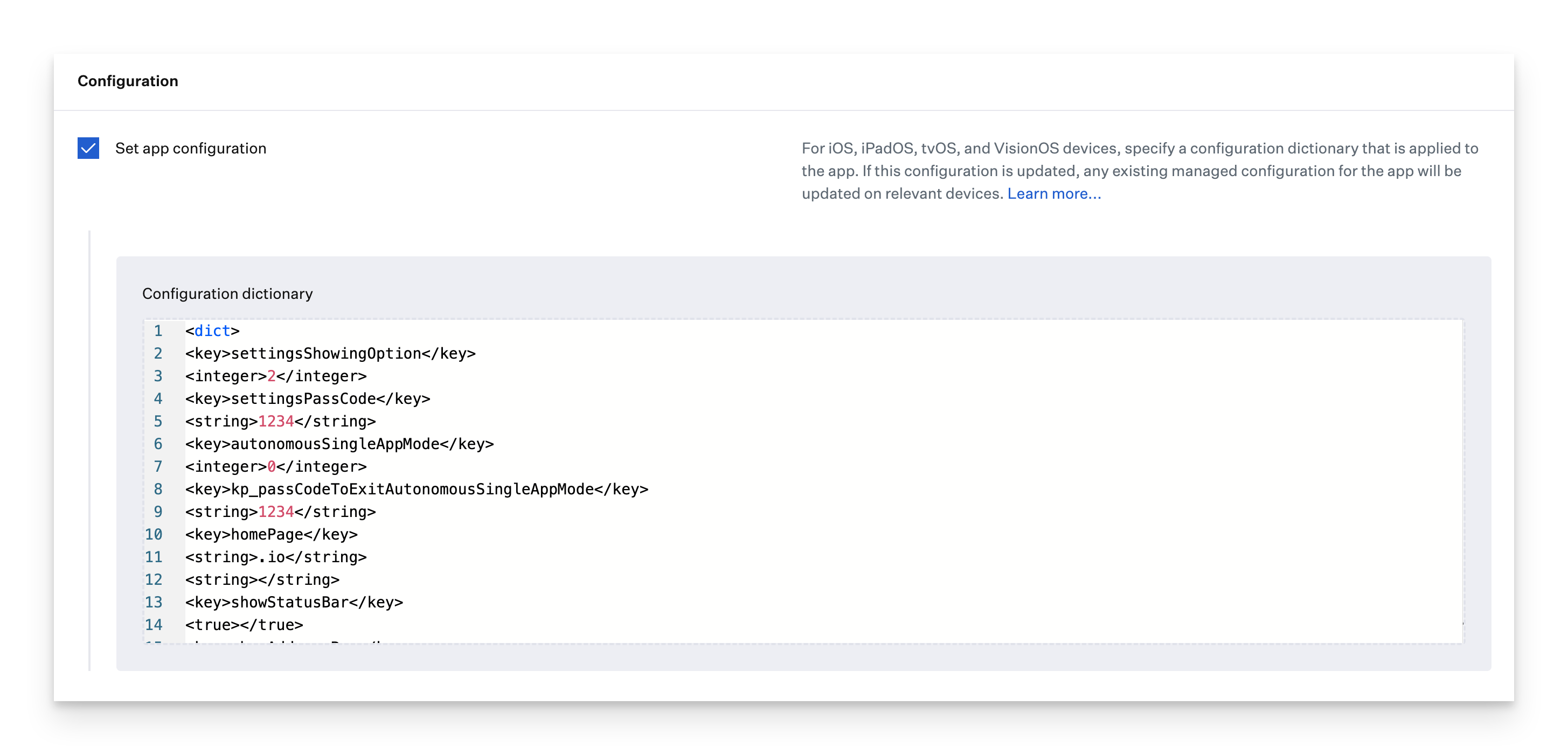
### Example Uses for AppConfig
Configure the Kiosk Pro app to automatically open a default kiosk URL and set other application restrictions:
```bash
settingsShowingOption
2
settingsPassCode
1234
autonomousSingleAppMode
0
kp_passCodeToExitAutonomousSingleAppMode
1234
homePage
.io
showStatusBar
showAddressBar
```
Configure the Okta Mobile app to enforce mobile device trust:
```bash
managementHint
Okta generated token goes here
```
If you have specific questions about creating an AppConfig for your application, please contact the developer or [Kandji support](/v1/docs/access-to-kandji-support) for assistance.